
This article is on migrating ServiceNow scoped application objects from one instance to another using Precision Bridge. In particular it covers the use case where the source and target applications have the same scope and where a selection of objects from the source application need to be migrated to the target.
Precision Bridge includes the following Application Migration Templates to assist with this:
Application Table and Fields
Application Forms and UI Migration
Application Development Objects Migration
Application Service Portal Migration
Application Navigation Migration
Each template includes a set of pre-defined mappings which cover most of the common objects of each type used when building scoped applications.
To make use of these templates, you need to follow these steps:
1. On your ServiceNow target instance, if your target application does not already exist then create it using the ServiceNow Studio, then enable the plug-in called Insert Multiple Web Service
2. Open Precision Bridge and select File->New->Project from Template->ServiceNow-ServiceNow->Application Migration->Tables and Fields ,
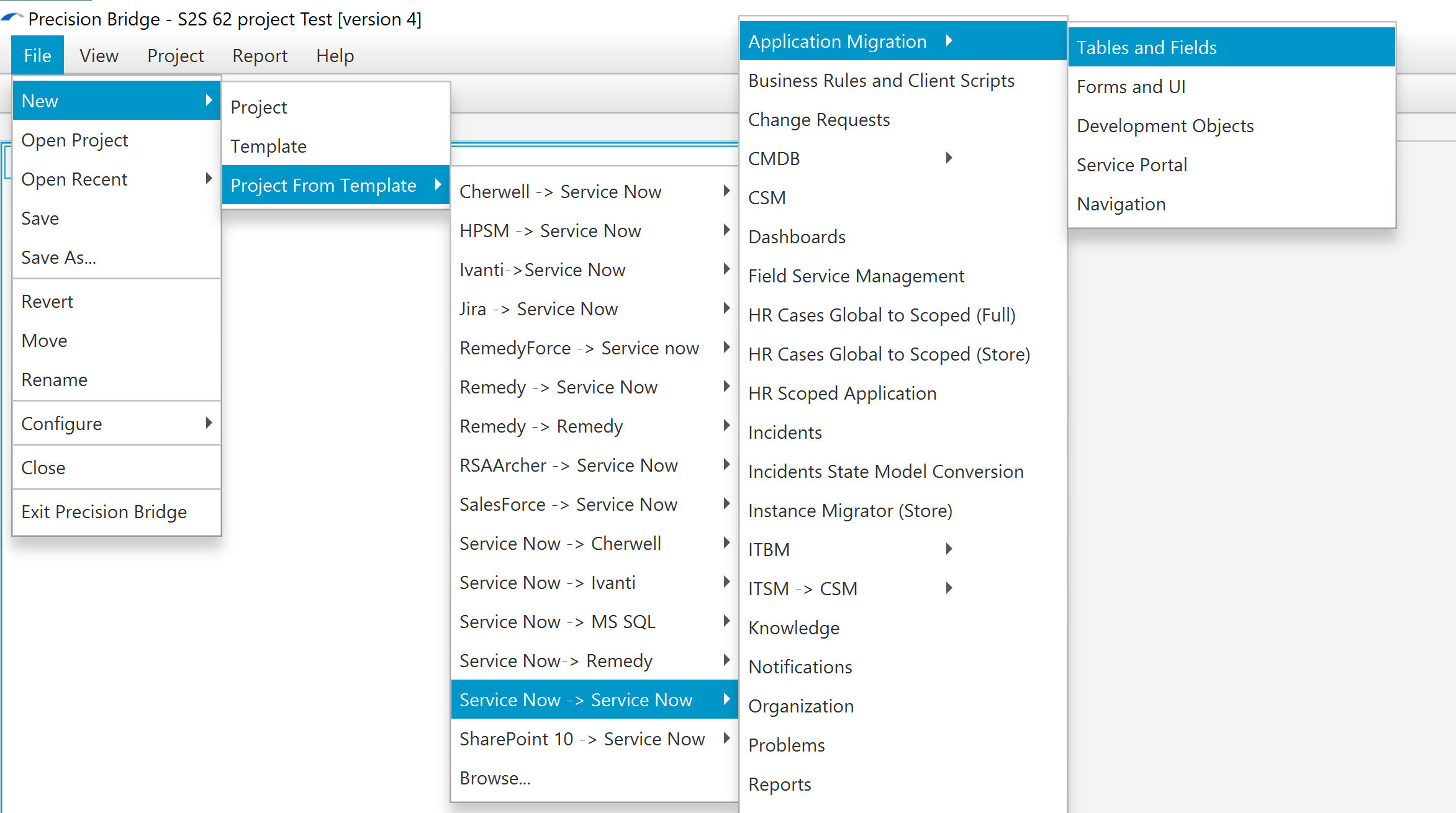
then enter your Administrator credentials for your source and target instance.
3. By default the project will migrate ALL objects within the source application. If you want to restrict to a specific set of records then you should update the Filter Queries on each of the mappings as necessary. For more information on Filter Queries see this article: https://precisionbridge.zendesk.com/hc/en-us/sections/360000648737-Source-Filtering
4. After checking that the mappings meet your requirements, select Project->Execute Open Project, and set the Application Name variables on the Variables tab.
Note that the application name is case sensitive.
Warning: Do not open the Form Designer from within ServiceNow at this stage as it will impact the subsequent Form UI migration
5. Create and execute projects based on each of the other templates subject to your requirements in this order:
Application Forms & UI
Application Development Objects
Application Service Portal
Application Navigation
Once the migrations are completed, you can then view the migrated objects from within your ServiceNow target application.
Comments
0 comments
Please sign in to leave a comment.