
After a Form Mapping has been added to a project, the source and target forms can be changed by either:
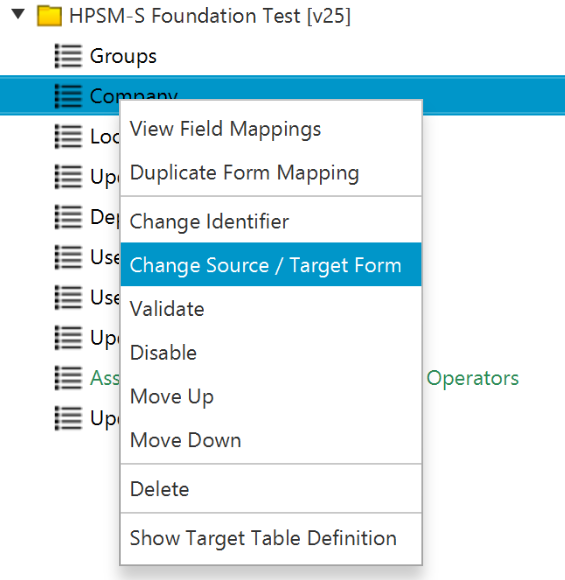
- Right Clicking the form mapping in the project tree and selecting 'Change Source / Target Form'
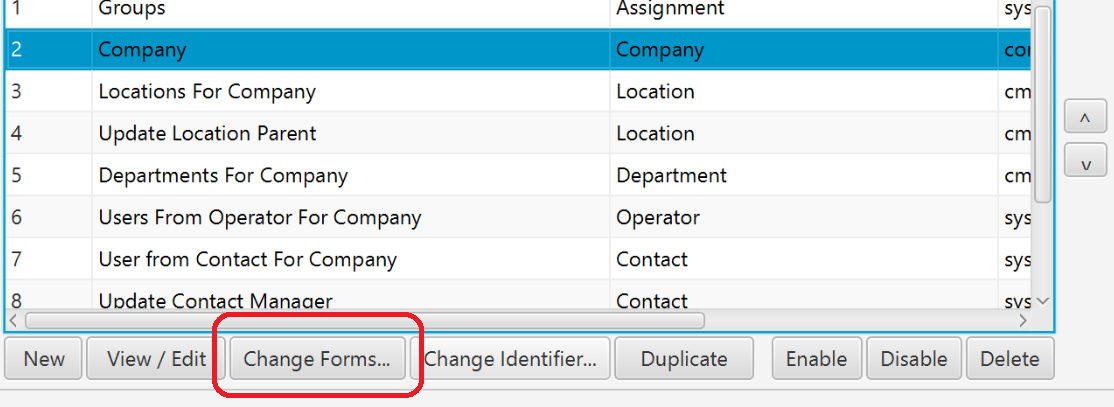
- From the Mappings List, Selecting the form mapping you want to change then clicking 'Change Forms...'
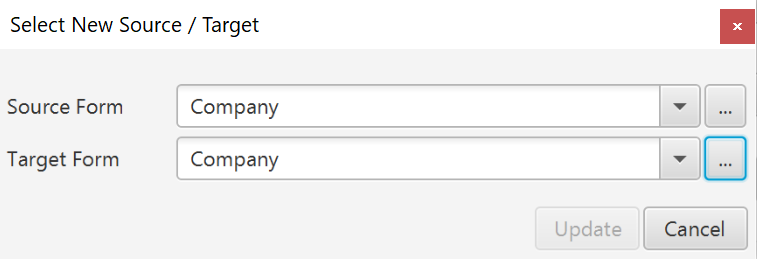
You will be presented with a dialog allowing you to select a new source and/or target form. Upon clicking OK, the forms will be changed and if open, the form mapping tab will be closed and reopened to reflect the change.
Please note the following:
- Field references within this mapping will become invalid if a field of the same name does not exist on the new form. There may also be issues if the field has the same name, but a different type.
- It is advised to run validation for the form mapping after performing this action to pinpoint any missing fields or other issues caused by this change.
Comments
0 comments
Please sign in to leave a comment.