
To migrate all attachments and images from an RSA Archer source table to a ServiceNow table, the configuration required is identical to the configuration for migrating ServiceNow attachments to another ServiceNow instance (see previous article). Note however that files associated with any image fields will also be migrated as attachments. if you do not want this, select the attachment/image fields you want to migrate as described below.
To migrate selected attachments or images from an RSAArcher instance to a ServiceNow instance, select the Options tab for the corresponding Form Mapping, select the Selected Attachments option, then click on the Select button. The following screen is then presented:
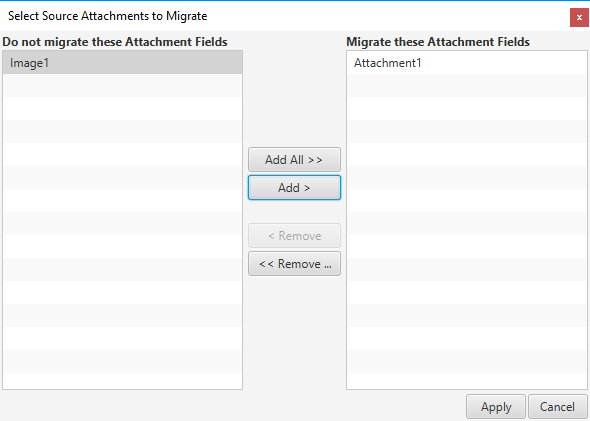
Select the attachment or image fields that you want to migrate using the Add/Add All buttons then click on Apply button to save.
Note that each field can contain multiple attachments, all attachments for the fields selected will be migrated to the Service Now record.
Note that image files can also be migrated to Service Now image fields using a simple mapping.
See article Migrating Large Attachments to a ServiceNow Instance if you get errors when migrating large attachments.
Comments
0 comments
Please sign in to leave a comment.