
Introduction
Prior to Version 6.0 of Precision Bridge, projects to migrate data from Service Now to a Database Server required two mappings per migrated table if display values were required to be migrated as well as the source value.
From 6.0, this can be achieved with a single form mapping - with additional source fields provided by precision bridge to allow both the source value and the display value of a given field to be mapped to separate columns in the database in a single form mapping. This gives a significant performance advantage over the previous 'two mappings' method.
Enabling Support for Source Display Value Mappings
A new project option has been added to force Precision Bridge to generate display fields for the Service Now source server. This option is only available where the source server is Service Now, and it is checked by default for projects with a Database Target Server (Archiving Projects) The option can be set when the project is opened (or created)
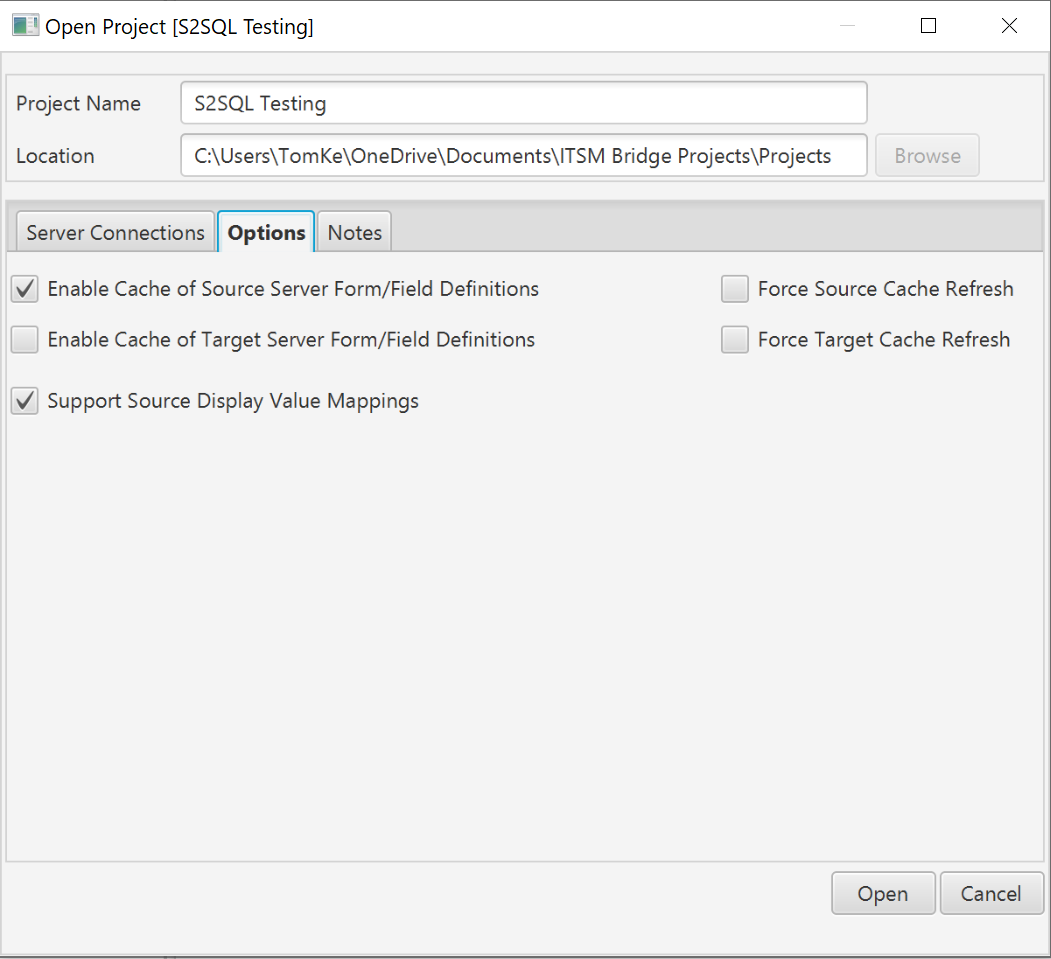
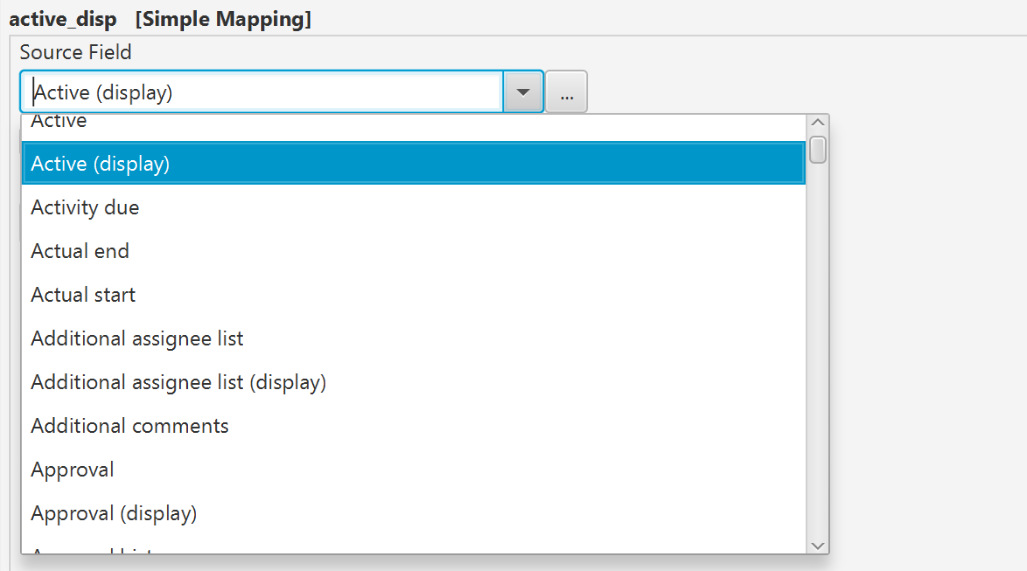
With this option checked, the source fields available will include additional fields to allow mapping of display values. See below:
Converting an Archive Project created in 5.4 to use the new Functionality
Archiving Projects created in earlier versions of Precision Bridge will still run correctly. However best practice is to update these projects to use a single mapping for both source and display values.
Follow the Procedure below:
| 1. |
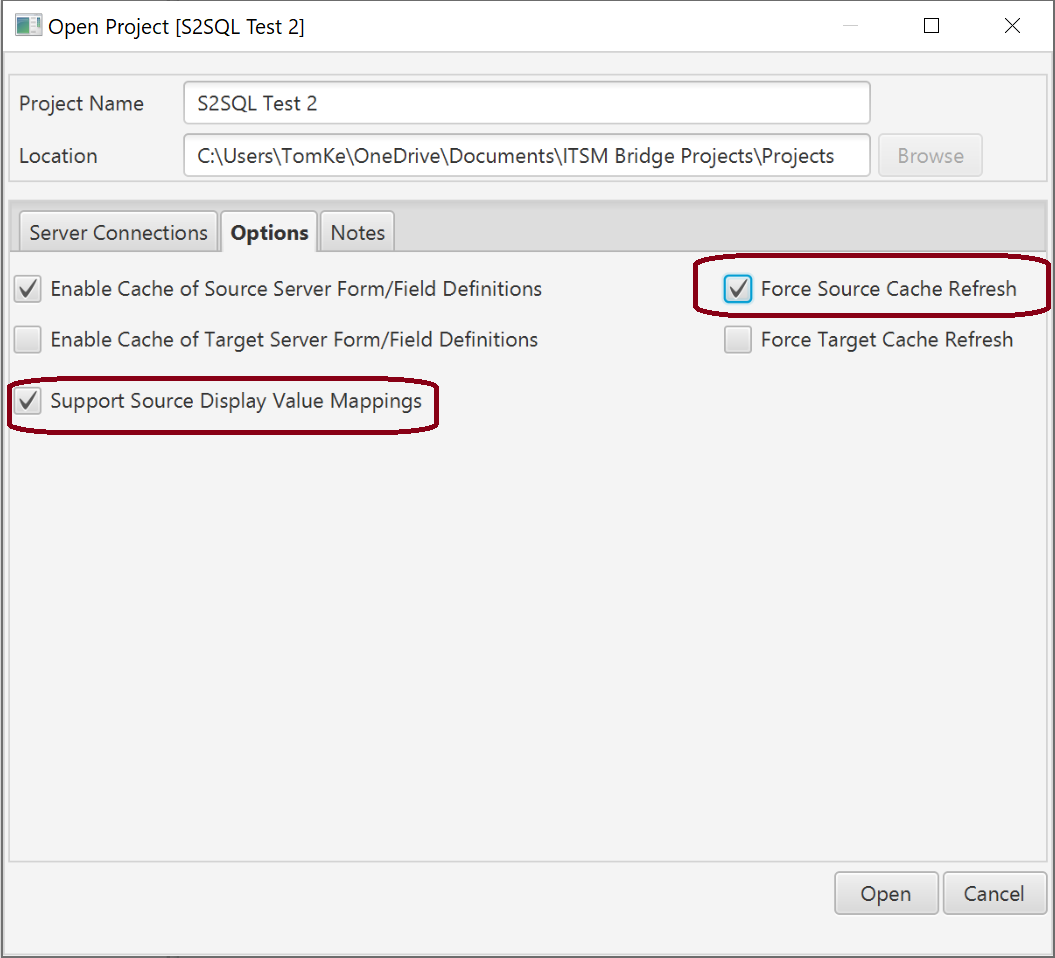
When opening the project, on the options tab:
|
| 2. |
Open the project |
| 3. |
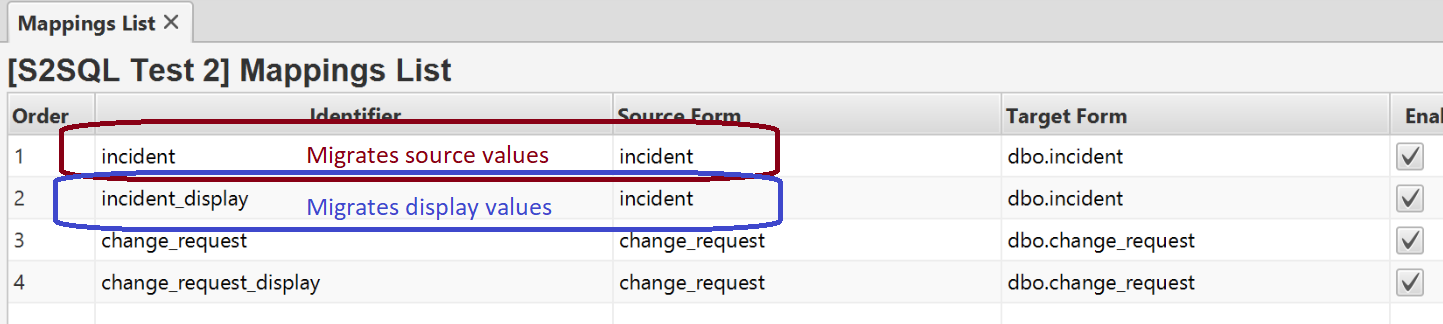
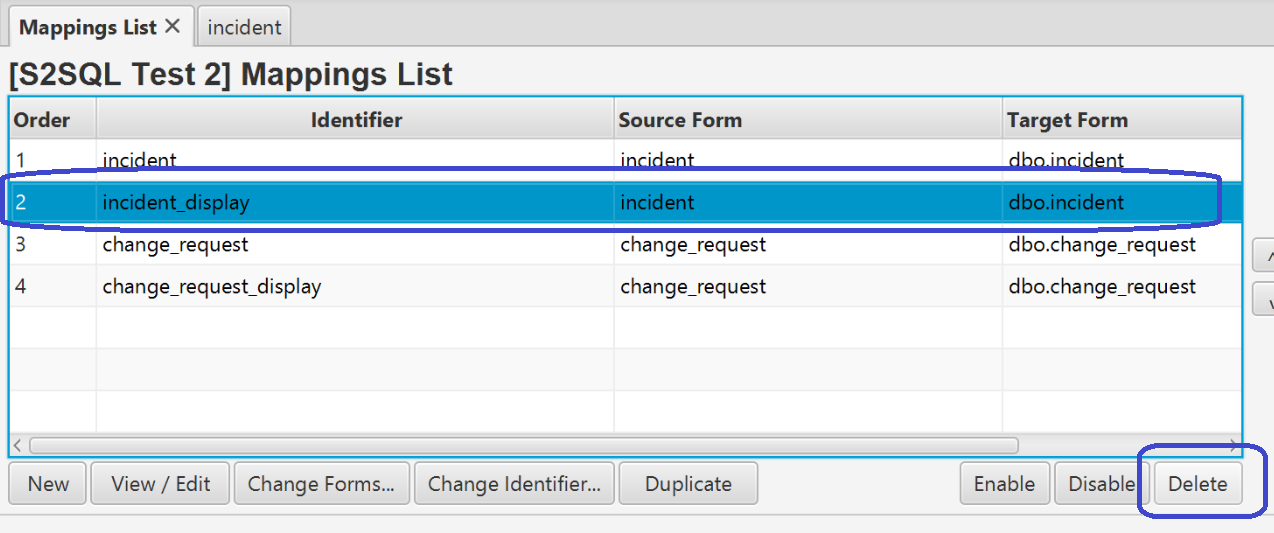
Open the Mappings list. Each table is populated with 2 mappings. The first one migrates the source values, the second (suffixed _display) migrates the display values. Open the first mapping (for source values)
|
| 4. |
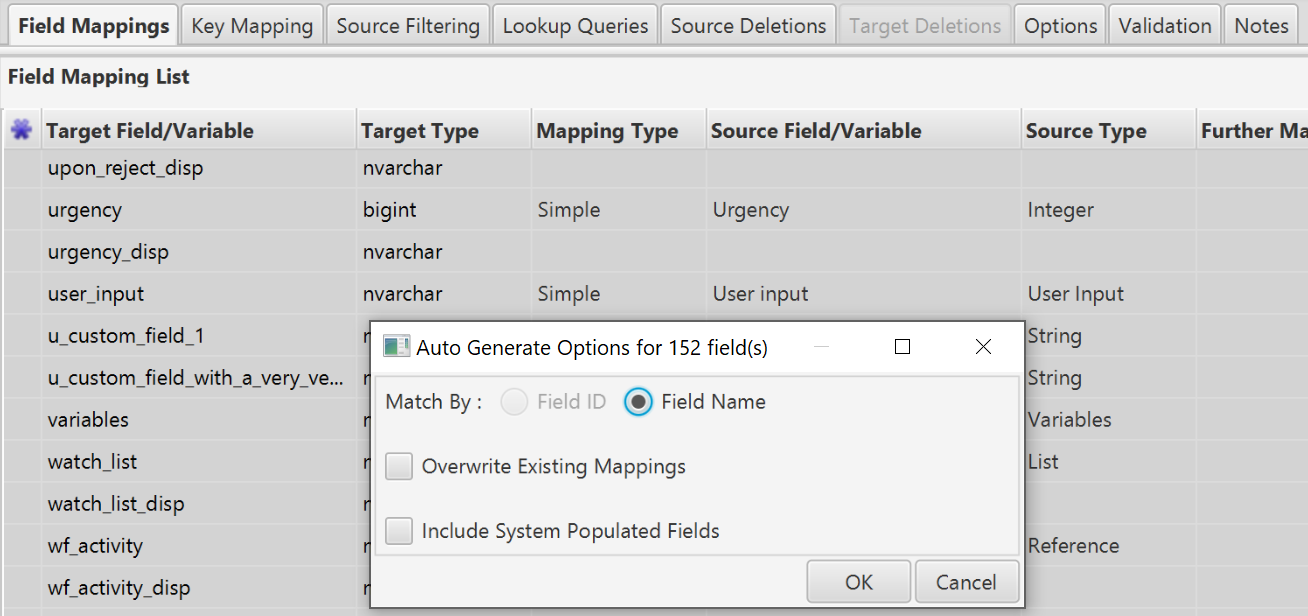
In the field mapping list, select all the fields and click 'Generate Default Mappings'
|
| 5. | Leave the 'Overwrite Existing Mappings' option unchecked |
| 6. | Click OK. The display fields should now be mapped. |
| 7. |
Delete the display value mapping
|
| 8. |
Repeat for all other mappings in your project, you should now have only one mapping for each target table.
|

Comments
0 comments
Please sign in to leave a comment.