
When using Precision Bridge client for ServiceNow migrations, customized objects will be generated on the Service now instance. Even when Precision Bridge is no longer being used for data migrations, these objects still live on the instance where they were created. However, they can now be deleted using a special ServiceNow script that will be available in the Precision Bridge client installation directory under 'resources/scripts' folder. This script should only be run once after ALL the data migrations with Precision Bridge have finished, that is when Precision Bridge client will no longer be required for any further migrations.
Please Note that using Precision Bridge client to do any further migrations on this ServiceNow instance after execution of this script will still work as normal, as it will re-create these deleted objects. However, it is recommended to use this script as a one-off activity.
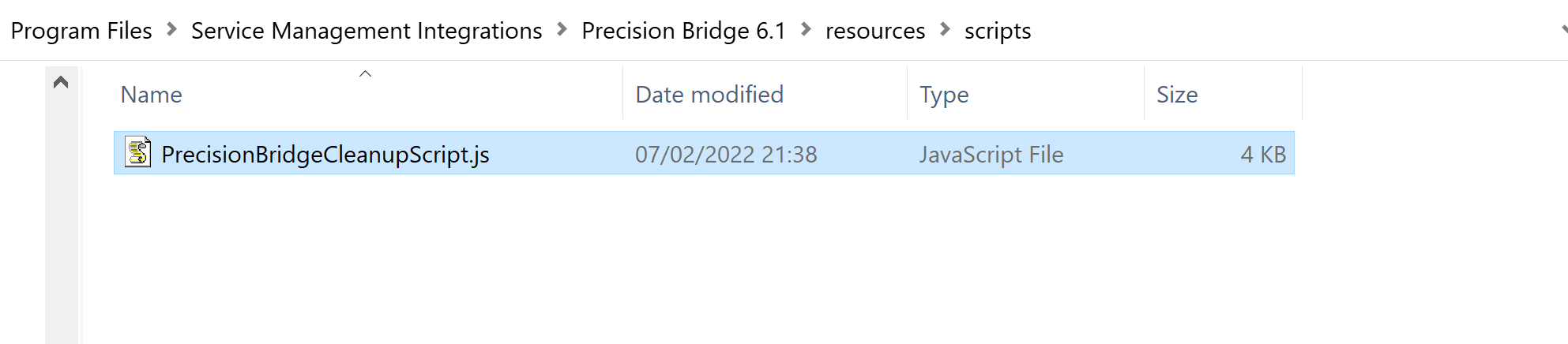
Showing the location of the Cleanup Script in a windows Installation
Data from the below listed tables will be deleted:
|
Table Name in ServiceNow |
|
sys_web_service |
|
sys_transform_map |
|
sys_security_acl |
|
sys_dictionary |
|
sys_documentation |
|
sys_db_object |
|
sys_user_role |
Pre-requisites for running the script:
- The script MUST be run with a user account having privileges to be able to access/delete the data from the tables listed- ideally an account similar to 'System Administrator'.
- The script MUST be run when the ServiceNow instance is not being used, specifically via Precision Bridge client and outside office hours.
Steps to configure and execute the script:
- Create a scheduled job as below to run 'On Demand' :
- Copy the full contents of the script from the file below into the script pane:
<Precision Bridge install folder>\resources\scripts\PrecisionBridgeCleanupScript.js
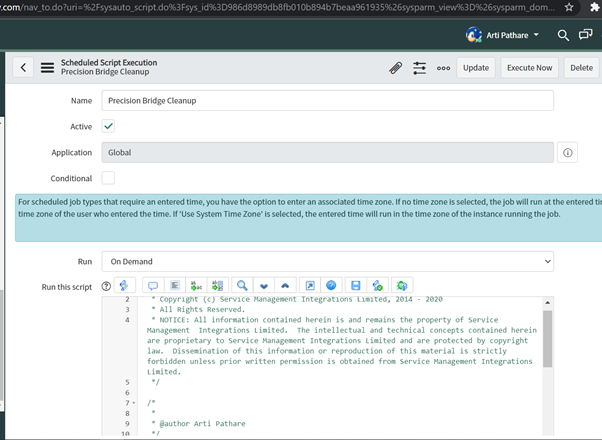
- Click 'Update'.
- Click on Execute when it is time to run this script.
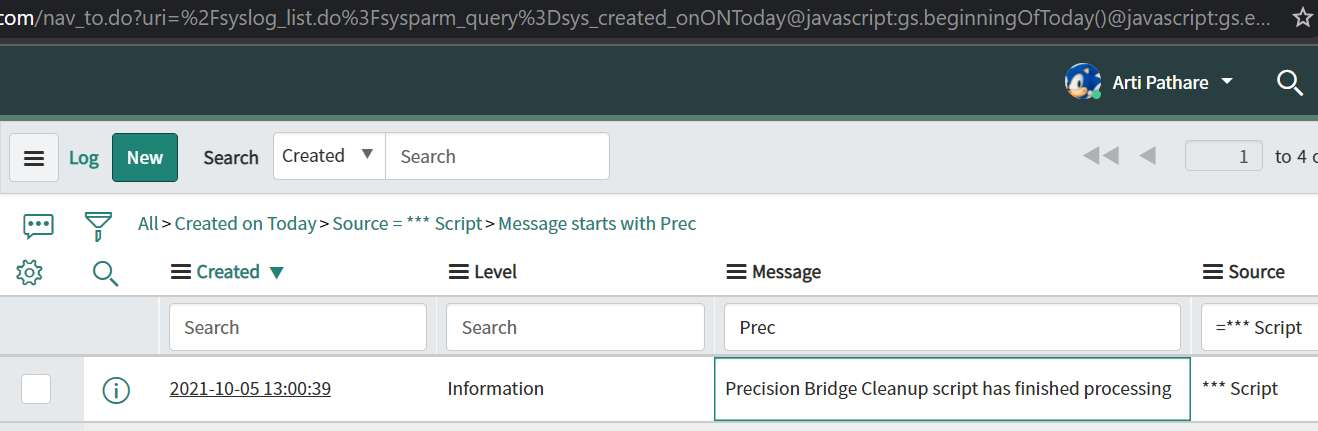
- Check the logs and look for the below message that will indicate that all the Precision Bridge generated records have been deleted from the instance:
Comments
0 comments
Please sign in to leave a comment.