
An overview of How to configure External Lookup Server (on the External Lookups tab), is given in section
How to configure External Lookup Server (on the External Lookups tab)
External Lookup Queries can be used with all Server Types, for example External lookup queries can be created using Oracle Database as an external server as shown below.
To create a new External Lookup Query, navigate to the Lookup Queries Tab on your Form Mapping then select the Type (External) and the Search Form/Tables from the drop-down list. The Identifier field is auto-populated but you can change the value if necessary. The identifier is used to uniquely identify the Lookup Query that you have defined.

Now click on the Query Builder button to define your Lookup Query. Note that we are not defining which field value to return here, just the query itself. You can use the same query to select different fields for different field mappings. These are selected as part of the Field Mapping Definition.
Note - External Lookup queries containing current target record values will not be supported.
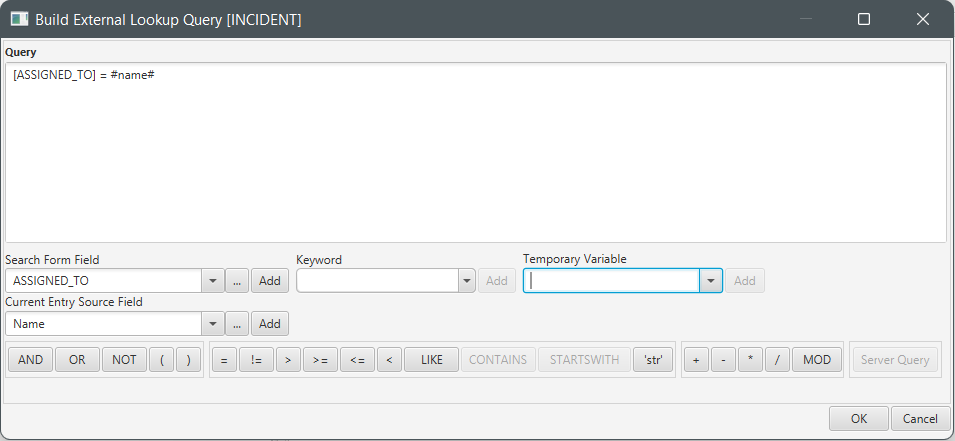
The lookup will be build and will operate in exactly the same way as a source lookup – values from the current source record, temporary variables and keywords can be used as values in the query.
For more information specific to How to create a Source Lookup, see section - Creating a Source Lookup Query
For more information specific to How to create a Target Lookup , see section - Creating a Target Lookup Query
Comments
0 comments
Please sign in to leave a comment.