
When migrating date-time values between servers, the source and target values may appear to be different, usually offset by 1 or more hours. This is due to differences in time-zone settings.
The date time values are calculated from their UTC values. So for example if the source server is BMC Remedy and the target is ServiceNow, Precision Bridge retrieved the Remedy timestamp as a UTC timestamp then it is migrated to ServiceNow as UTC also.
If there is a different time shown in the ServiceNow UI, to the Remedy UI, this is likely to be a result of differences in the timezone used in the different UI's to display date/time.
In Remedy mid tier, the timestamp will be adjusted in the UI to display in the current client's timezone - as found in the (windows) client's date time settings.
In ServiceNow, the date/time will be adjusted in the UI to display according to the ServiceNow user's settings (see screenshot below)
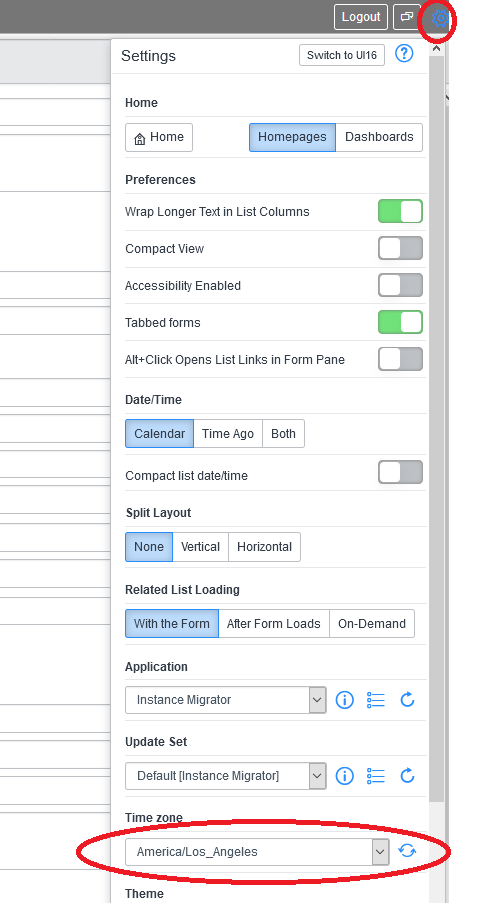
To avoid confusion, it would be best to make sure the ServiceNow user settings are set to use the same timezone as the client machine. Then the timestamps should always display exactly the same in both UI's
Comments
0 comments
Please sign in to leave a comment.