
Issue
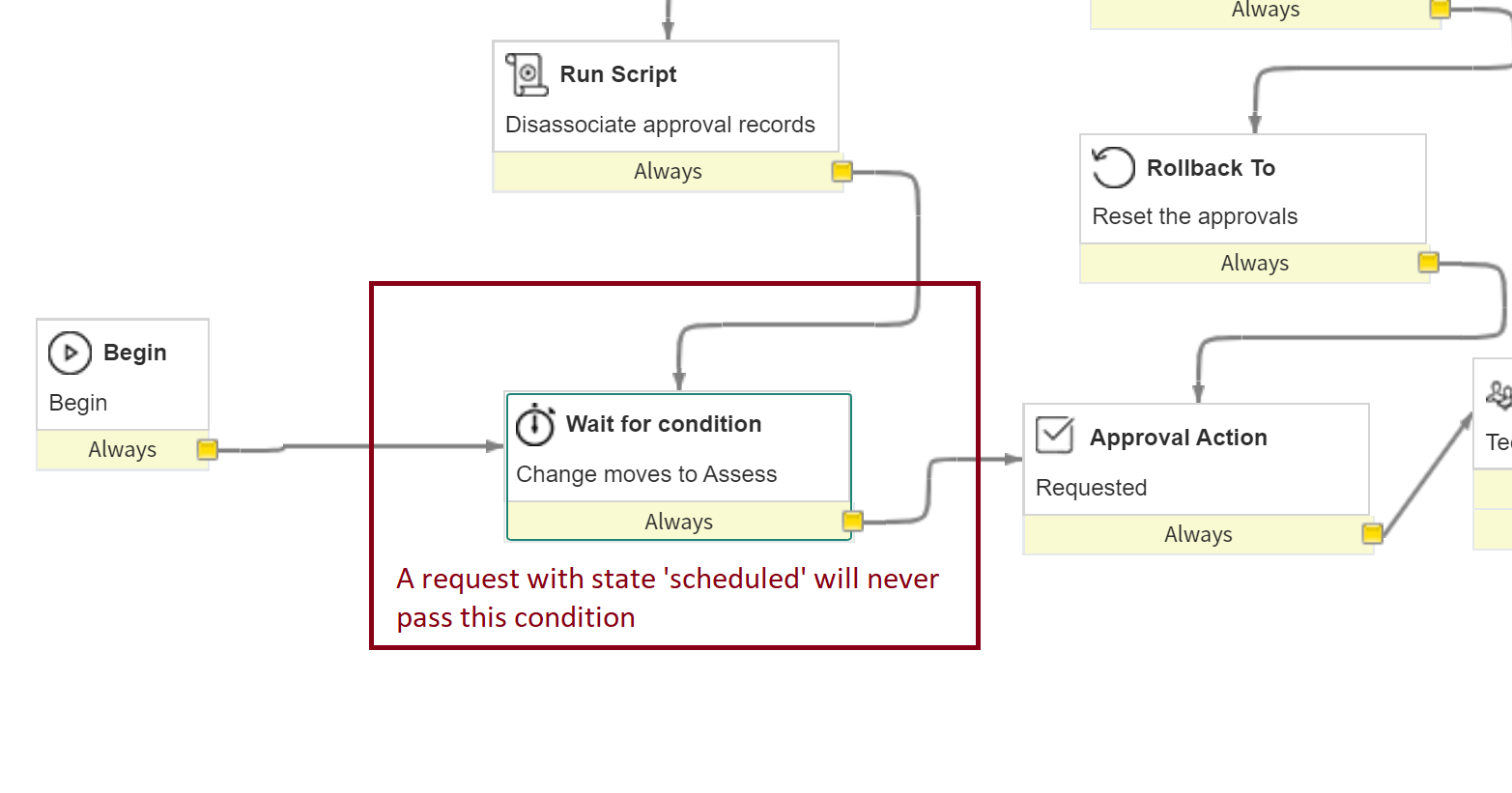
When migrating a change request with business rules enabled, the change request workflow will be attached to the request However if the state of the request is not 'New' the workflow will not be able to progress. If the ticket was migrated with a status of 'scheduled', for example, the request will never be set to 'Asses' and the workflow will never progress.
Proposed Solution
Prior to migrating the requests perform the following with respect to the change request workflow:
- In Service Now Workflow Editor, make a copy of the existing change request workflow
- Change the condition of the copied workflow so that it will be attached ONLY to migrated tickets. For example, add the condition Number starts with CRQ if your migrated requests are prefixed in this way.
- Change the condition of the original change request workflow to exclude migrated tickets. For example, add the condition Number starts with CHG.
- In the copied workflow, add initial 'IF' activities after the Begin Activity to direct the workflow to the appropriate starting point based on the migrated state of the request. See example below
- Publish the new workflow and the changes to the existing workflow.
- You will need to make similar changes to all change request workflows that your migrated requests may follow.
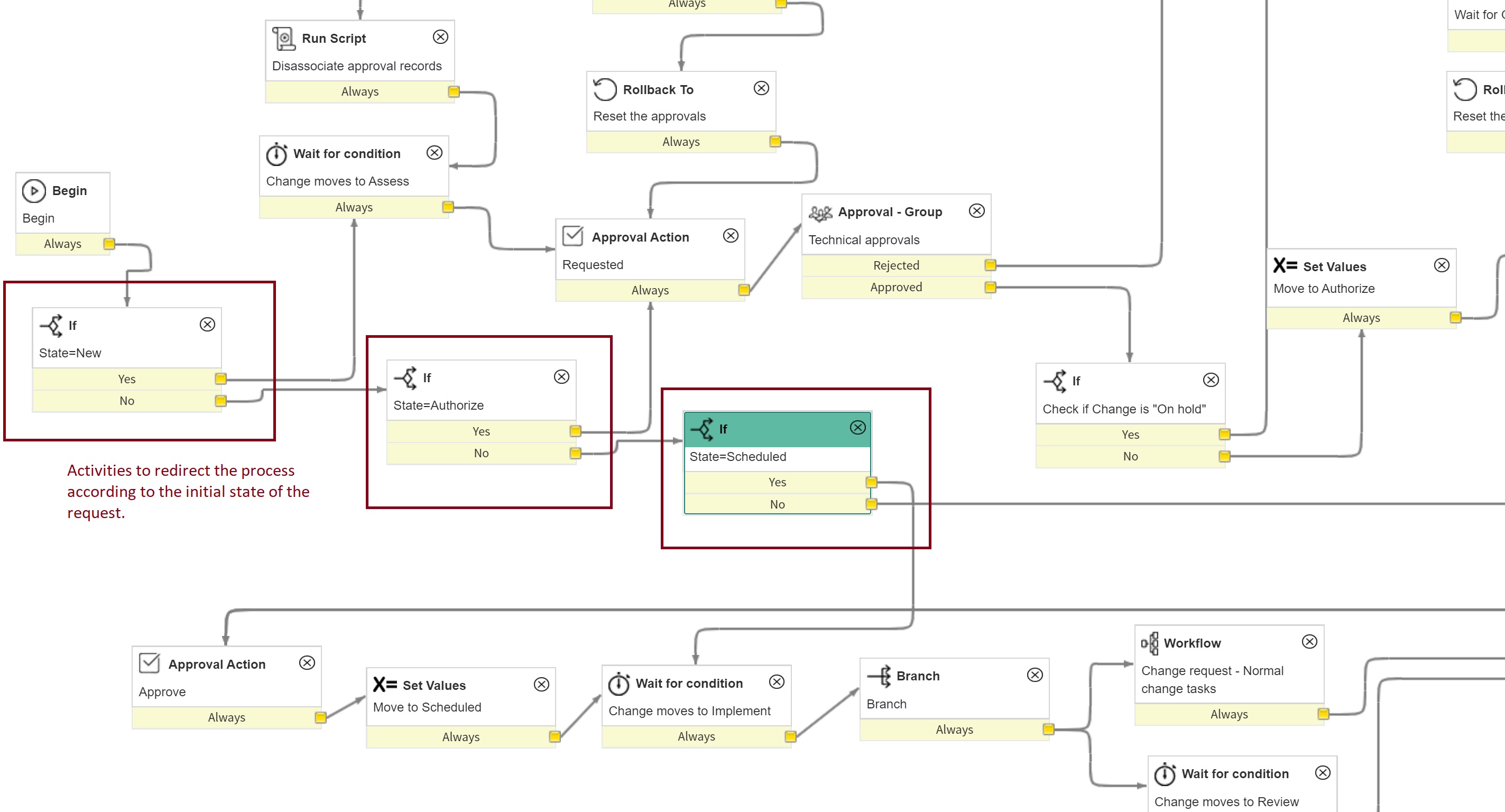
Following this change, the workflow for a migrated request will proceed from the appropriate activity and run to completion as expected.
Comments
0 comments
Please sign in to leave a comment.